Restrictions API
Rubean Pay supports Android's Restrictions API for configuration through MDM / EMM systems. In Android Enterprise terminology this is also called Managed Configurations or App Restrictions.
This allows an administrator to preconfigure Rubean Pay remotely through the MDM without requiring manual setup inside the app.
Restrictions are only applied when restrictions_api_activated is set to true.
This prevents default managed-configuration values from being applied for non-MDM users.
How It Works
Rubean Pay exposes its managed configuration schema through Android's app_restrictions.xml.
Most MDM systems that integrate with Managed Google Play will read this schema automatically and render the fields in their admin console.
The general flow is:
- Approve or assign Rubean Pay in your MDM.
- Open the app's managed configuration / app restrictions section in your MDM.
- Set
restrictions_api_activatedtotrue. - Set the desired values for the other keys listed below.
- Deploy the configuration to the target devices.
Depending on your MDM vendor, this feature may be called:
- Managed Configurations
- App Restrictions
- Android Restrictions
Available Restrictions
The following keys are currently supported by Rubean Pay. If a key is not set by the MDM, the app uses its default behaviour.
| Key | Type | Default | Meaning |
|---|---|---|---|
restrictions_api_activated | bool | false | Enables or disables the MDM Restrictions API. This must be set to true for the other variables to take effect. |
authenticate_at_start_up | bool | false | Enables authentication when the app is started. |
startup_pin | string | "" | Startup PIN used together with startup authentication (4 digits). |
admin_pin | string | "" | Administrative PIN for changing settings (4 digits). |
admin_enable | bool | false | Enables the administrative PIN feature. |
authenticate_on_reversal_and_refund | bool | true | Requires authentication for reversal and refund operations. |
enable_non_reference_refund | bool | false | Enables non-referenced refunds. |
enable_tip_feature | bool | false | Enables the TIP feature. When enabled, the TIP screen is shown. |
enable_reference_feature | bool | false | Enables the reference feature so that a reference can be entered before the transaction. |
min_reference_char | integer | 10 | Minimum number of reference characters. |
max_reference_char | integer | 20 | Maximum number of reference characters. |
enable_period_closing_feature | bool | true | Enables the period closing feature. When enabled, the Period Closing button is visible. |
default_currency | string | EUR | Default currency used by the app in ISO 4217 format. |
personalisation_json | string | "" | Personalisation payload as JSON string. See below. |
personalisation_json
The personalisation_json restriction expects the inner personalisation JSON of the QR-Code-Generator only.
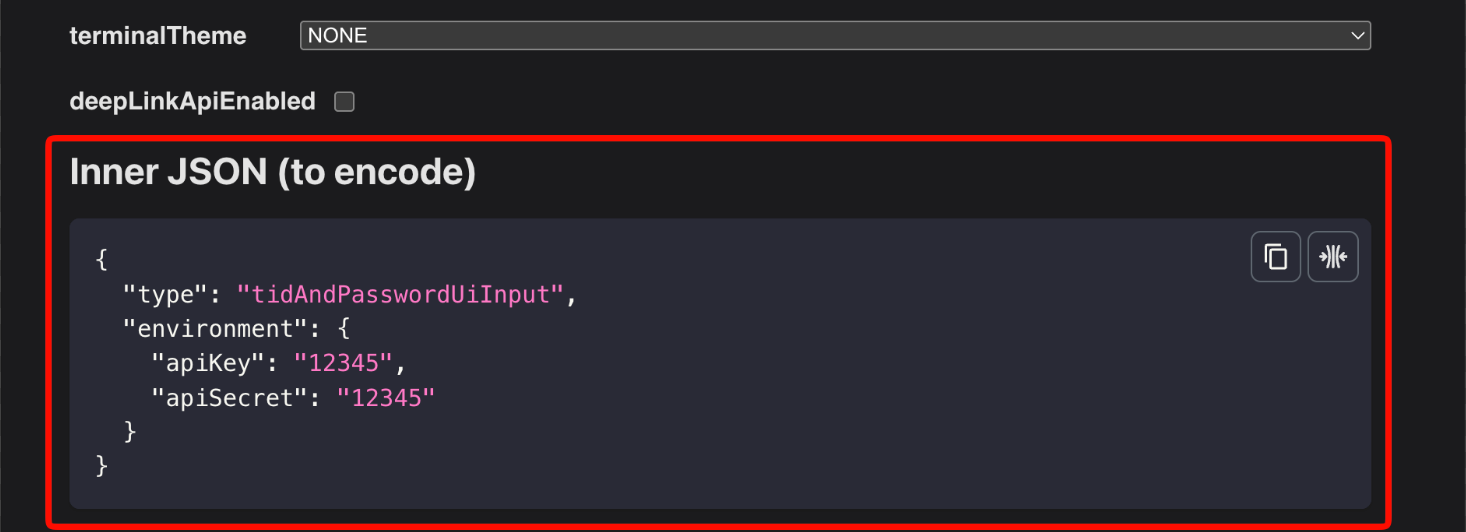
Use the same inner JSON that is documented in Personalisation API and generated by the QR-Code-Generator. This is the same JSON that can be obtained from the QR code generation tool.
Example value for personalisation_json:
{
  "type": "tidAndOtp",
  "environment": {
    "apiKey": "Please_use_the_supplied_api_key",
    "apiSecret": "Please_use_the_supplied_api_secret"
  },
  "clientId": {
    "terminalId": "12345678",
    "otpServiceType": ["SMS"]
  },
  "options": {
    "screenOrientation": "PORTRAIT"
  }
}
As mentioned above, please use the QR-Code-Generator for a frictionless generation of the inner personalisation JSON.
If your MDM exposes a plain text field for personalisation_json, paste the JSON above as-is.
If your MDM expects a raw JSON object for the full managed configuration payload, personalisation_json still remains a string field and must therefore be escaped according to your MDM's format.
Example Managed Configuration
Some MDMs render a form UI, others allow JSON import or export. The example below shows the conceptual values that would be configured:
{
  "restrictions_api_activated": true,
  "authenticate_at_start_up": true,
  "startup_pin": "1234",
  "admin_enable": true,
  "admin_pin": "9999",
  "authenticate_on_reversal_and_refund": true,
  "enable_non_reference_refund": false,
  "enable_tip_feature": true,
  "enable_reference_feature": true,
  "min_reference_char": 10,
  "max_reference_char": 20,
  "enable_period_closing_feature": true,
  "default_currency": "EUR",
  "personalisation_json": "{\"type\":\"tidAndOtp\",\"clientId\":{\"terminalId\":\"12345678\",\"otpServiceType\":[\"SMS\"]}}"
}
Notes For Integrators
restrictions_api_activatedmust be set totrue, otherwise the managed configuration values are ignored.- The exact UI for configuring these values depends on your MDM vendor.
- The available keys and types are defined by Android Managed Configurations and are exposed by the app to the MDM.
- For background on the Android platform feature, see the official Android documentation on Managed Configurations.